

This section explains how account access works for Cybet users in the UK. It covers the steps for logging in, password recovery, situations where an account may be locked, and issues with accessing the account via browsers or mobile devices. It also addresses 2FA verification, device security, and how to contact support. Additionally, it provides insights into the information required for logging in and the reasons behind potential login errors.
The section further details how secure login integrates your personal profile, cryptocurrency payments, bonuses, casino games, sportsbook access, and support tools into one account. It offers guidance on safely restoring access, ensuring a smooth and secure experience for users.

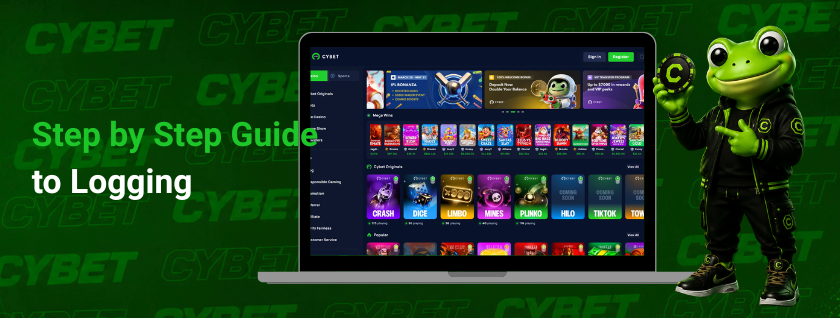
Step by Step Guide to Logging into Cybet
Logging in gives registered users access to their personal account, wallet tools, gaming history, rewards, and support options. The process involves entering an email address and password, using an encrypted connection, and undergoing additional verification steps in the event of suspicious account activity.
Main login steps:
- Open the website from a secure browser. An updated browser and stable internet connection are recommended. On mobile, access works through a Progressive Web App that opens from the mobile browser and can be added to the home screen.
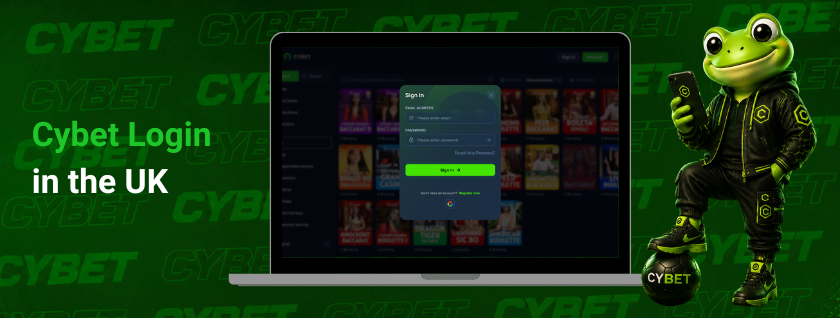
- Select the login button on the main page. The login form opens the account access panel.
- Enter the email used during registration. The email address must match the account record because current registration is email based.
- Enter the password carefully. Letter case, saved password data, and extra spaces should be checked before submitting the form.
- Complete the security check if requested. Some sessions may require email confirmation, 2FA, or another verification step. These checks may appear after a new device, IP address, location change, or repeated failed attempt.
- Wait for the account area to load. After access is accepted, the user can view balances, deposit options, withdrawal tools, active rewards, and available casino or sportsbook sections.
- If you are unable to log in, check the most common possible causes. The most common reasons include: an incorrect email address, an incorrect password, outdated browser data, an unstable connection, a conflict with a VPN, blocked cookies, or outdated browser settings.
- If the issues persist, please contact support. Live chat is available 24/7. In the case of blocked or compromised accounts, the hash of your most recent deposit transaction may be required to verify ownership.
Solving Login Problems: Helpful Tips and Advice
Login issues refer to access problems that may prevent a registered user from logging into their account, checking their balance, redeeming bonuses, or accessing the casino and sportsbook sections.
These errors are considered technical issues and security concerns, as the same personal account combines email credentials, cryptocurrency wallet transactions, withdrawal verification, and support tools.
Most access issues come from four areas:
| Issue area | What it can affect |
| Forgotten details | Email or password access |
| Temporary restrictions | Blocked login or extra checks |
| Browser data | Login loops, blank pages, expired sessions |
| Outdated software | PWA errors, form issues, 2FA loading problems |
A clear check of each area usually helps identify the cause before account settings are changed.
How to Recover a Forgotten Password
Password recovery helps you regain access to your account if your current login credentials are lost or no longer valid. Your email address remains your primary identifier, as Cybet accounts are created using an email address.
To regain access, follow these steps:
- Open the login form;
- Select the password recovery option;
- enter the email address used during registration;
- check your “Inbox” and “Junk” folders;
- click the link in the email or enter the recovery code;
- create a new password and log in again.
It’s best to create a separate password specifically for your Cybet account. It should be different from the passwords you use for wallets, payment services, financial apps, and other casinos. A more secure option includes letters, numbers, and special characters.
After changing your password, the system may request additional verification. This could be confirmation via email or 2FA, if this security feature is enabled on your account.
What to Do If an Account Is Blocked
An account lockout is a temporary restriction on access. It may occur following unusual login attempts, multiple password errors, suspicious activity, or an internal security review.
Main reasons for account suspension:
- repeated failed login attempts;
- logging in from a new device or an unusual region;
- suspicious activity on the account;
- verification of payments or withdrawals;
- additional profile security measures.
In this situation, do not create a second account or attempt to bypass the restriction. The correct course of action is to contact support via online chat or email.
Support may request information to help verify account ownership. The hash of the most recent deposit transaction is most commonly used. It links the profile to a specific deposit on the blockchain and helps verify that the request was sent by the actual owner.
In some cases, KYC or other verification may be required. Such a request may arise due to fraud risks, security requirements, AML checks, or the protection of minors. The request depends on the account status and risk indicators, not just on regular gaming activity.
Fixing Browser Cache and Cookie Issues
Browser cache and cookies are local files that store session data, page versions, and login preferences. Outdated files can cause login loops, blank pages, expired sessions, or failed form loading.
Useful fixes include:
- clear cache and cookies for the site
- close and reopen the browser
- try a private window
- disable extensions that block scripts, popups, or cookies
- check that secure cookies are allowed
- test another updated browser
- restart the mobile browser if the PWA does not load
VPN or proxy settings can also affect login. A sudden change in IP address, device, or location may trigger extra account checks. If this happens, the requested security step should be completed, or support should be contacted.
Making Sure the App or Browser Is Up to Date
Using the latest browser version helps prevent errors when logging into your account. It affects the login form, 2FA, connection security, and PWA functionality. On mobile devices, Cybet opens via a progressive web app, not through a separate app from the App Store.
Before trying to log in again, check the following:
- update your browser to the latest available version;
- close the old tab and reopen the site;
- clear your cache if the login page isn’t loading properly;
- remove the old PWA shortcut from your home screen if it doesn’t open the site correctly;
- re-add the shortcut using the updated browser;
- check the stability of your internet connection.
It’s also important to check the time on your device. If the date or time zone is set incorrectly, 2FA codes may not work. This is especially important when logging in via an authenticator, confirming your email, or accessing wallet pages.
Getting Help from Cybet Support
The login support service is intended for cases where you cannot regain access to your account by resetting your password, clearing your browser, checking your device, or verifying two-factor authentication (2FA).
Access issues may be related to incorrect login credentials, locked sessions, multiple failed login attempts, unusual IP activity, or a security check related to wallet usage.
Contacting Cybet Support Regarding Login Issues
Cybet Support is available 24/7 via live chat and email. Live chat is the fastest way to resolve access issues. Email is better suited for cases requiring screenshots, transaction details, or a more detailed written explanation.
If your account is locked or compromised, your support request should include:
- your registered email address
- a brief description of the issue
- the device used to log in
- the browser name and version, if known
- the time of the failed login attempt
- the error message displayed, if available
- the hash of the last deposit transaction
The transaction hash helps verify ownership using deposit data on the blockchain. Support may request additional verification if the account exhibits abnormal login behavior, withdrawal risk, or suspected unauthorized access.
FAQ
Open the website, select the login button, enter the email used during registration, type the password, and complete any requested email or 2FA check. After access is approved, the account area loads with wallet, rewards, casino, sportsbook, and support tools.
Use the password recovery option on the login form. Enter the registered email address, check the inbox and spam folder, then follow the reset instrucitons. The new password should not be used on other gambling, finance, or wallet services.
Login credentials can be reset through the recovery process linked to the registered email. The email identifies the account, while the new password restores access. Extra confirmation may appear if the device, IP address, or access pattern differs from normal use.
The email, password, browser cache, cookies, VPN settings, and internet connection should be checked first. An updated browser or private window may solve local access issues. If the account is blocked or access still fails, support should be contacted through live chat or [email protected] with the registered email and recent recharge transaction hash.
Yes. Mobile access works through a Progressive Web App in the browser. There is no native App Store application. The site can be opened from an updated mobile browser, accessed with the registered email and password, and added to the home screen if needed.